
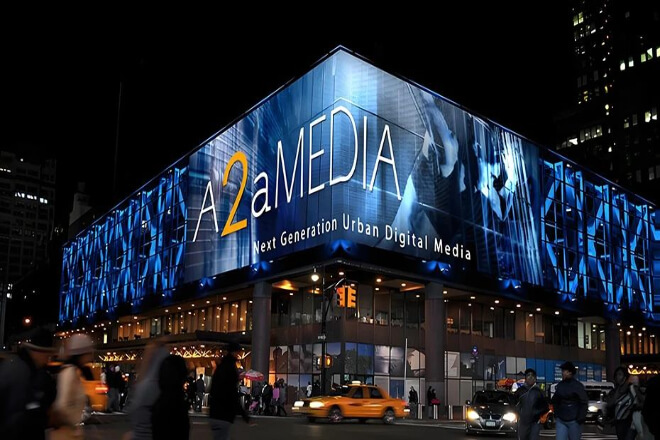
When buying an LED display, have you noticed that screens of the same size can have price differences of several times?
The parameters seem similar, but the actual performance differs significantly. Many people’s first reaction is “brand premium” or “channel reasons,” but the key lies in the specifications.
Specifications determine the display effect, lifespan, and future maintenance costs.
Different uses and environments require completely different specifications: some focus on clarity, some on smoothness, and others on long-term stability.
So, which specifications are most important? Which parameters deserve special attention?
This article will help you sort out the most critical points when choosing a screen from the perspective of practical use and long-term investment, helping you avoid pitfalls and save money.

In LED display procurement, many people are accustomed to looking at the price first, then the brand, but rarely truly focus on the specifications themselves.
In fact, the lifespan of an LED display is often measured in years. If the specifications are chosen incorrectly.
The subsequent investment in maintenance, energy consumption, and display effects will often far exceed the initial savings in procurement costs.
Specifications are not just a stack of technical parameters, but key factors that determine whether the display effect is stable, the lifespan is controllable, and the investment is sustainable.
LED displays that look “similar” on the surface may have completely different internal configurations.
From LED chip grade and driver ICs, to refresh rate and grayscale processing methods, to power supply and heat dissipation design.
These specification differences are not immediately noticeable, but will gradually become more pronounced during long-term operation.
The price difference essentially reflects the cost differences of these specifications, not simply “expensive or cheap.”
There is no “one-size-fits-all” specification for LED displays that is suitable for all scenarios.
Outdoor applications prioritize brightness stability, protection capabilities, and heat dissipation design.
Conference and command center scenarios focus more on refresh rate, grayscale level, and low-brightness display effects.
Stage and rental applications require higher reliability and consistency of the structure.
Ignoring the application scenario and only selecting based on price or parameter tables often leads to the screen not performing as expected in actual use.
In actual procurement, some seemingly insignificant parameters often determine the level of future costs.
For example, insufficient refresh rate can cause problems in shooting and dynamic images, insufficient driver IC and grayscale performance can affect low-brightness display effects.
And unreasonable power supply and heat dissipation designs may lead to frequent failures after long-term operation.
These problems are difficult to detect during the procurement phase, but will continuously increase maintenance and operating costs during use.
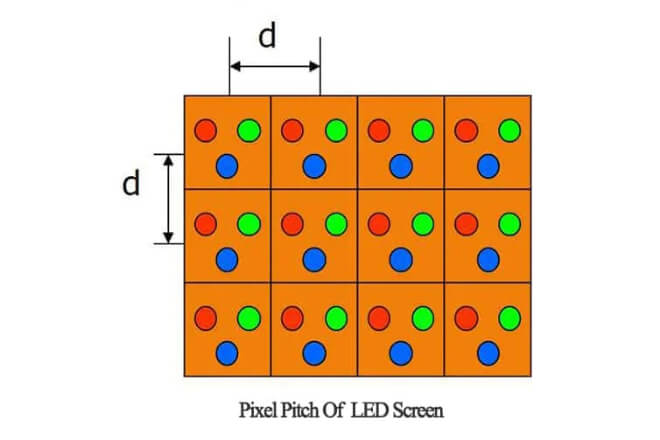
The smaller the pixel pitch, the more LED beads per unit area on the screen, resulting in finer images and clearer text.
The larger the pixel pitch, the more noticeable the graininess of the display.
It not only affects the clarity visible to the naked eye but also determines whether the screen can present high-quality images when viewed at close range.
Therefore, pixel pitch can be said to be the “first specification that determines the visual effect of the screen.”
1). Indoor vs. Outdoor: How to Choose for Different Viewing Distances
When choosing the pixel pitch, the viewing distance is the primary consideration:
For close-range indoor viewing (such as conference rooms, exhibition halls, and command centers), a small pixel pitch (P1.5–P3) is usually required to ensure clear images at close range.
For large outdoor screens or long-distance viewing (such as billboards and large plaza screens), a larger pixel pitch (P4–P10) can be chosen to reduce costs while ensuring visibility at a distance.
A simple empirical formula is: Viewing distance (meters) ≈ Pixel pitch (mm) × 1.5–2, which ensures image quality while avoiding unnecessary high configurations.
2). Is smaller pixel pitch always better?
Many buyers believe that “smaller pixel pitch is better,” but this is a typical misconception.
An excessively small pixel pitch means higher LED bead density, more driver ICs, a more complex heat dissipation system, and higher costs.
If the actual viewing distance is far, this configuration will not only waste the budget but also fail to provide any actual visual improvement.
The selection should be based on the actual usage scenario, not on pursuing extreme values.
3). How to Avoid “Over-configuration.”
When purchasing an LED display, you should consider the following:
Viewing distance: Choose the appropriate pixel pitch based on the most common viewing distance.
Usage scenario: Small pixel pitch is only needed for close-range, high-precision display scenarios indoors; outdoor advertising or long-distance screens can use larger pixels.
Cost and cost-effectiveness: Smaller pixels mean higher costs; do not blindly pursue small values and ignore the actual effect.
Long-term maintenance: The denser the pixels, the higher the maintenance difficulty and energy consumption.
In short, choosing the appropriate pixel pitch is key to achieving a balance between visual effects and investment efficiency.
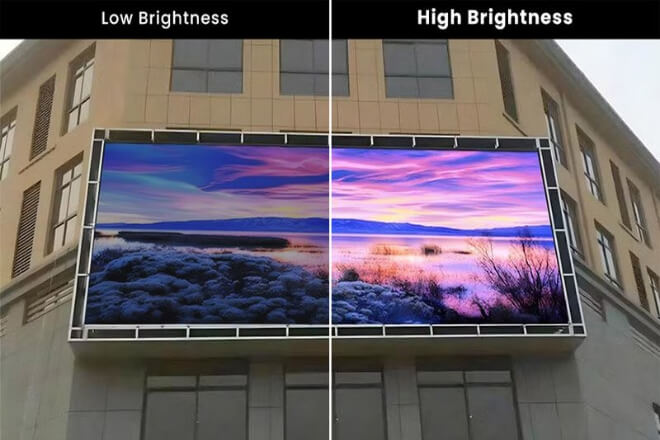
Brightness and contrast are two of the most intuitive and easily overlooked parameters when we look at a screen.
Brightness determines whether the screen can be seen clearly in different lighting conditions, and contrast determines whether the image has depth and texture.
Many people only consider size, pixels, or price when buying a screen, but ignore these two crucial factors.
The result is a screen that is “too bright to see clearly” or “the image is flat and lacks depth,” making it uncomfortable and unpleasant to look at.
1). What problems do insufficient brightness vs. excessive brightness cause?
Insufficient brightness makes the screen image dim, and the colors appear gray, especially in bright light environments, making it difficult to see details in text, images, and even videos.
For example, in a shopping mall, a screen with insufficient brightness may be “drowned out” by the surrounding light, completely failing to achieve its advertising effect.
Excessive brightness can be dazzling, especially when viewed at close range, causing eye fatigue.
Furthermore, long-term high-brightness operation will cause LED lamp beads to age faster and increase electricity costs.
Therefore, when choosing brightness, higher is not always better; the ideal brightness is one that is both clear and not dazzling.
2). Reasonable Brightness Ranges for Different Usage Environments
Different scenarios have very different brightness requirements:
Conference rooms, exhibition halls: Usually, 300–500 nits are sufficient, providing clarity without being dazzling, and comfortable for long-term viewing.
Shopping malls, large indoor public spaces: 500–1000 nits are more suitable, ensuring clear visibility even in bright environments.
Outdoor advertising, building screens: Brightness usually needs to be above 2000 nits to clearly display content in direct sunlight.
When choosing brightness, the adjustable range should also be considered.
The screen should maintain appropriate brightness during the day, at night, on sunny days, or cloudy days, without being “too bright and dazzling” or “too dark to see clearly.”
3). How does contrast affect image depth and brand display effect?
Screens with high contrast have richer light and dark levels, making the image appear three-dimensional, layered, and the colors more vivid.
This is especially important for brand presentation; high contrast makes text clearer and images more vivid, giving a sense of sophistication.
Screens with low contrast, even with high resolution, tend to look bland and lack depth, making it difficult to attract viewers’ attention, especially when displaying advertisements, brand promotions, or product details.
It can be said that contrast directly affects the “attractiveness” of the screen and the visual expressiveness of the brand.
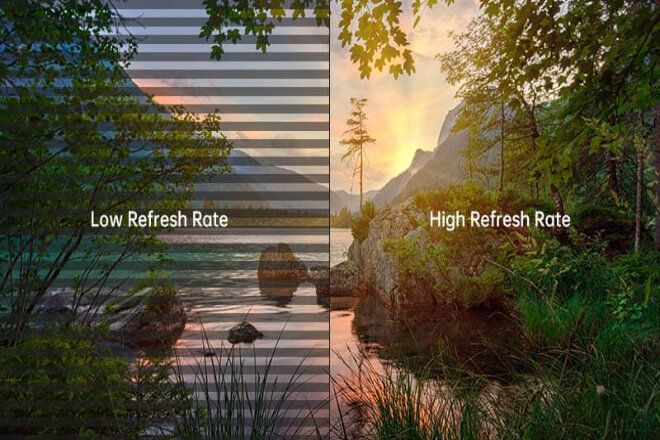
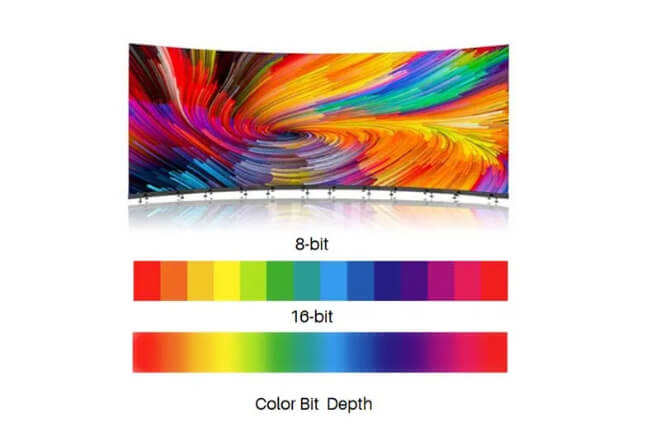
Refresh rate and grayscale level are two core parameters that determine the image quality of an LED display. They directly affect the smoothness, color naturalness, and detail rendering of the screen.
Many people only focus on brightness or resolution when looking at screens, but ignore these two factors.
As a result, some screens have smooth images and rich details; others look “cheap,” even with the same high resolution.
Color difference, simply put, is the deviation that occurs when different areas of the screen display the same color.
The larger the spliced screen and the more screen modules, the more likely it is that if the color of each module is not uniform, the overall image will show “blocky color differences” or uneven color.
Especially under high brightness or large areas of solid color backgrounds, the color difference problem will be infinitely magnified, making the entire screen look unprofessional.
1). Factory Calibration vs. Post-Installation Calibration: What are the essential differences?
There are two main methods for screen color calibration:
Factory calibration: The manufacturer adjusts the color, brightness, and grayscale of each module before shipment to ensure a consistent overall effect after screen splicing.
Post-installation calibration: Each module is adjusted using professional equipment after the screen is installed.
The advantage of factory calibration is high stability and long-lasting calibration effect.
While post-installation calibration can be used for emergencies, each handling, transportation, or change in the operating environment may lead to unsatisfactory results, requiring repeated adjustments.
2). Can the screen maintain consistent performance after long-term use?
Even after precise calibration, LED screens will experience light decay and brightness differences over time, leading to gradual color deviations.
High-quality screens will reserve calibration margins in their design and support regular maintenance or online calibration to ensure that the image remains consistent after long-term use.
Low-quality screens are prone to the problem of “obvious color differences after a few years of use,” resulting in high maintenance costs and a degraded visual experience.
3). Key Questions to Ask for Large-Scale Projects
When purchasing large-scale video walls or high-end displays, you need to focus on the following:
Has each module undergone factory color calibration?
What are the calibration accuracy and color consistency specifications?
Does the screen support online calibration after installation?
What is the color deviation after long-term use and light decay?
Is there a mature maintenance plan to ensure long-term image consistency?
Only by clarifying these issues can you avoid “unprofessional-looking” situations in large-screen projects and reduce future maintenance and repair costs.
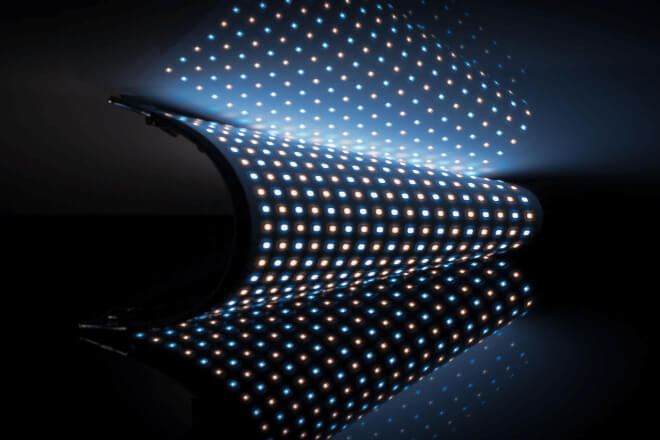
Lifespan and stability are important indicators of the value of an LED display, especially for long-term fixed installation projects.
Whether the screen lights up is the first step, but whether it can work stably for a long time is the key factor affecting cost and user experience.
1) How to interpret the LED lamp bead lifespan?
Many people think that an LED screen labeled “50,000 hours lifespan” is very reliable, but this is only a theoretical value.
The truly valuable data is the light decay curve and actual lifespan conditions:
How long the lamp beads will decay to 70-80% of their rated brightness, and their performance under different brightness and temperature environments.
Rapid light decay means that the screen brightness decreases quickly, the color is unstable, and more frequent maintenance or module replacement is required.
2). The impact of heat dissipation design and power system on stability
For LED displays operating for extended periods, the heat dissipation and power system directly determine stability.
Screens with reasonable heat dissipation design maintain stable lamp bead temperature and slow light decay.
High power redundancy and stability ensure that the screen does not flicker or have dead pixels even under full load operation.
Conversely, screens with poor heat dissipation or insufficient power are prone to uneven brightness and module damage, significantly increasing long-term operating costs.
3). Common stability risks of “cheap screens.”
Low-priced screens often cut costs on lamp bead quality, driver ICs, heat dissipation, and power supply design. They may seem fine in the short term, but long-term use can lead to:
Rapid local brightness decay
Dead pixels or flickering modules
Overloading of the power supply leading to malfunctions
These risks are difficult to detect during the procurement phase, but they will become apparent after 1-2 years, increasing maintenance costs and even affecting normal use.

An LED display should not only be easy to buy and use, but also easy to maintain with low maintenance costs.
Maintenance methods and after-sales support directly affect the daily operation efficiency and long-term usage costs of a business.
And are important factors that must be considered during the purchasing process.
1). Front Maintenance vs. Rear Maintenance: Impact on Installation and Post-Maintenance
LED screen maintenance methods are usually divided into front maintenance and rear maintenance:
Front maintenance:
Modules can be replaced or repaired from the front of the screen, suitable for wall-mounted installations and scenarios with limited space.
Rear maintenance:
Modules can only be disassembled and assembled from the back of the screen, which is more suitable for fixed screens with sufficient installation space.
Choosing the appropriate maintenance method will directly affect the ease of installation and future maintenance costs.
Although front-maintenance screens are slightly more expensive, they save labor and reduce downtime, which is often more cost-effective for businesses.
2). How Much Time and Labor Costs Can Modular Design Save for Businesses?
Screens with modular design can be disassembled into small modules for replacement or repair, avoiding the need to disassemble the entire screen. For businesses, this means:
Quick recovery of the display in case of failure
Significant reduction in labor costs
Greatly improved installation and maintenance efficiency
Especially in large screens or rental screens, modular design can save dozens of times the labor and time costs.
How to Determine if a Manufacturer is “Reliable” Based on Specifications and Solutions
3). To determine if a manufacturer is reliable, you can look at several aspects:
Whether the screen supports front maintenance or modular design
Whether the manufacturer has a comprehensive operation and maintenance manual and maintenance training
Whether there are clear response times and service commitments
Whether long-term parts supply and light decay correction solutions are provided
Simply put, it’s not just about looking at the price and parameter sheet, but also the maintenance solutions, after-sales service capabilities.
And long-term guarantees provided by the manufacturer. These will directly affect the screen’s usage cost and user experience.
 English
  Español
  简体中文
简体中文  Français
  日本語
日本語  한국어
한국어  العربية