
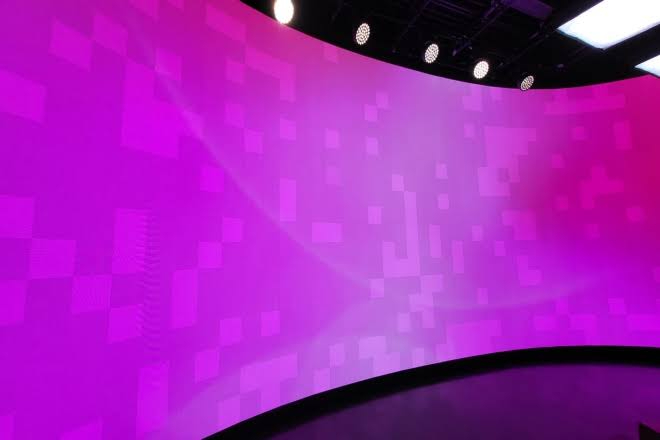
Un pantalla LED, with its clear and vibrant images, is meant to attract viewers.
However, if different areas of the screen exhibit inconsistent colors, the originally complete image can become mottled, even impacting the brand image.
Color differences in LED displays are not uncommon. The key is to quickly identify the cause and implement the correct solutions.
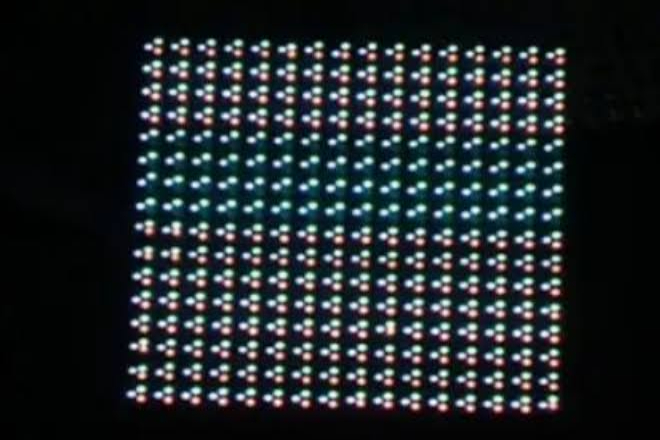
Color differences in LED displays do not necessarily indicate a faulty LED chip.
Sometimes, the problem may stem from the driver circuit, control system, or even different batches of display modules.
Before formal troubleshooting, it’s essential to understand several common causes.
1) Differences between LED chip batches
The brightness and chromaticity parameters of LED chips may vary. If different batches or grades of LED chips were used during production, even with the same display parameters, color inconsistencies may occur.
For example, if some areas of a screen appear reddish while others appear bluish, this may be related to the inconsistency of the LED chip’s chromaticity.
2) Abnormal driver IC operation
The driver IC is responsible for controlling the brillo and display status of the LED chips.
If the driver circuit malfunctions, it may cause inconsistent current output in different areas, thus affecting color performance.
3) Different aging levels of display modules
After long-term operation, the brightness and color performance of LED beads may gradually change.
If there are differences in the usage time, operating temperature, or operating load of different modules, obvious color differences may occur.
4) Inconsistent control system or parameter settings
The receiving card, transmitting equipment, video processor, and calibration parameters all affect the final display effect.
Inconsistent configurations in different areas may also cause color deviations.
Therefore, LED display color difference problems need to be judged from multiple aspects such as hardware, software, and usage environment, rather than rushing to replace LED beads as soon as color abnormalities are observed.

The most important thing in troubleshooting LED display color differences is to first determine the location and scope of the problem.
Instead of disassembling the module at the beginning, it is better to narrow down the fault range through simple tests.
1) Check using solid color images
Play red, green, blue, white, and gray images in sequence and observe whether there is a color deviation in different areas.
For example: A partially darkened red screen may involve the red LEDs or their corresponding driver channels.
A yellowish or bluish tint in a white screen may be related to color calibration or different color channel outputs.
Partial color patches in a gray screen may be related to low grayscale performance, calibration parameters, or hardware inconsistency.
Pure color testing helps staff more intuitively identify abnormal areas.
2) Determining if the color difference is localized or systemic:
If only one module exhibits color abnormalities, prioritize checking the LEDs, driver ICs, and connections of that module.
If the entire LED display shows color distortion, further inspection of the control system, color settings, signal source, and overall calibration parameters is necessary.
3) Checking different playback content:
Sometimes, the LED display’s problem isn’t hardware-related, but rather a color deviation in the input signal itself.
Try changing the signal source and playing a known, correctly colored test image or video.
If the color difference disappears after changing the content, further inspection of the original material, playback device, and video processing settings is required.
These steps usually allow for a preliminary determination of whether the problem is a localized hardware malfunction or a parameter issue across the entire display system.
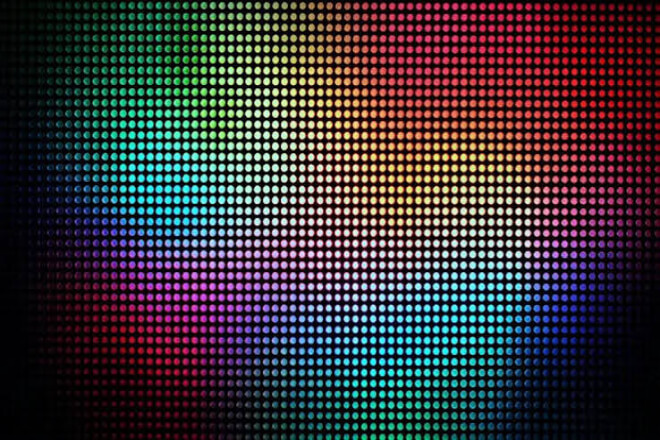
If color difference persists after basic testing, further inspection of the LED display’s hardware is necessary.
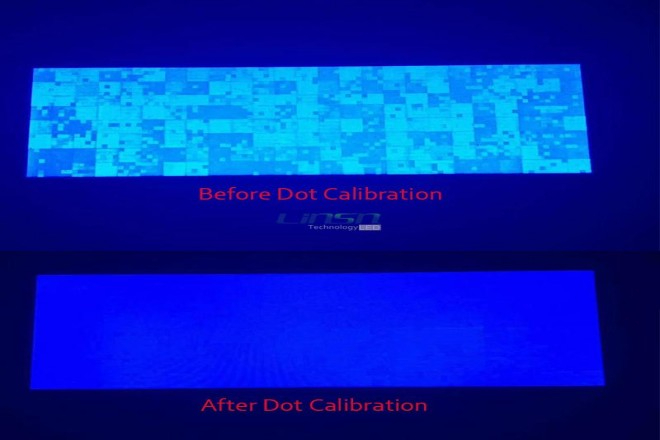
Not all LED display color differences require hardware replacement. For problems caused by differences in brightness and chromaticity, professional calibration often plays a crucial role.
1) Perform brillo and chromaticity calibration
LED display calibration typically requires the use of professional measuring equipment to test the brightness and chromaticity of different areas, and then adjusting the display parameters through the control system.
For example, if a certain area has an excessively strong red, the relevant color channels can be adjusted appropriately based on the measurement results to make it more similar to other areas.
2) Check the receiver card parameters
The receiver card is responsible for receiving and transmitting display data. Inconsistent receiver card configurations in different areas can lead to differences in display quality.
Staff should check relevant configuration files, grayscale parameters, and calibration data to confirm the correct settings for each area.
3) Recalibrate the entire screen
For large LED displays that have been in use for a long time, full-screen brightness and color calibration can be arranged according to the actual situation.
Especially for indoor pantallas LED de paso pequeño, local color differences are more easily noticed due to the closer viewing distance. Regular calibration helps improve the consistency of the entire screen display.
However, software calibration is not a panacea. If the LED chips are severely aged, the driver IC is damaged, or there are obvious hardware abnormalities, simply adjusting parameters cannot completely solve the problem.
For LED display contractors and project operators, solving a color difference problem once is not difficult; the real challenge is preventing similar problems from recurring.
The following aspects should be included in daily management:
1) Focus on LED chip consistency during procurement
When selecting an LED display, in addition to focusing on brightness, pixel pitch, and refresh rate.
It is also important to understand the brillo and color grading standards of the LED chips. Prioritize suppliers with stable production processes and quality testing systems.
2) Use modules from the same batch
In large projects, it is recommended to plan module batches uniformly and reserve a certain number of spare modules.
For later maintenance, choose products with matching specifications and color parameters.
3) Establish a regular inspection system
Regularly check the brightness, color uniformity, and operating status of the display screen to promptly identify localized color deviations.
This is especially important for long-term operating equipment such as commercial advertising screens, escenario rental screens, and command center displays.
4) Control the operating environment
Temperature, humidity, and ventilation conditions all affect the operating status of LED displays.
The working environment should be controlled according to product requirements.
Maintaining reasonable heat dissipation and avoiding prolonged high-temperature operation that accelerates the aging of LED chips and electronic components.
5) Retain calibration data and maintenance records
Records should be kept after each module replacement, parameter adjustment, or full-screen calibration.
This not only facilitates subsequent maintenance but also helps analyze color difference trends and reduces the time spent on repetitive troubleshooting.
For businesses, good quality management not only reduces maintenance costs but also helps LED displays maintain a more stable display effect over long-term use.


 English
 Español
 简体中文
 Français
 日本語
 한국어
 العربية