
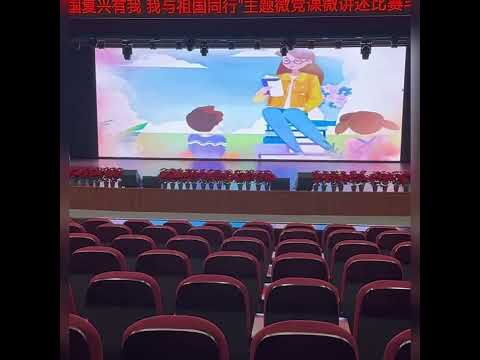
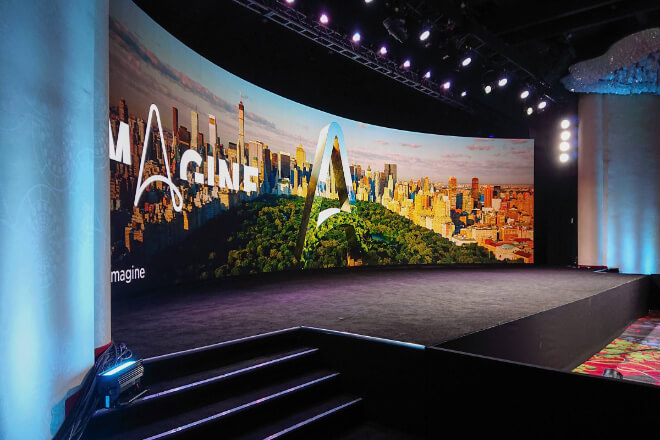
A school auditorium has a very typical characteristic: people are close to the screen, and “all kinds of content need to be displayed.”
Today it’s a large meeting, tomorrow a cultural performance, and the day after a graduation ceremony—in these situations, the advantages of small-pitch LEDs (狭ピッチLEDディスプレイ) are particularly obvious.
First, the image is clearer when viewed up close. Audiences in the front rows of the auditorium may only be a few meters away from the screen.
もし ピクセルピッチ is too large, it’s easy to see graininess when viewed up close, and the edges of text will be blurry.
For example, on the principal’s speech PowerPoint presentation, students in the back rows haven’t even understood the key points yet.
While those in the front are already studying “what each pixel looks like.” A small-pitch screen can avoid this awkward situation.
Secondly, it’s particularly well-suited for indoor auditorium environments. Unlike outdoor screens, auditoriums don’t prioritize blinding brightness; instead, they value color precision and viewing comfort.
Simply put, outdoor screens aim for “visibility from afar,” while auditorium screens prioritize “comfortable viewing up close.”
Furthermore, text and video display are significantly better. School auditoriums frequently display courseware, speech titles, program lists, and promotional videos.
If the screen’s 解決 is insufficient, small text can appear blurry.
This is especially true when displaying student photos at graduation ceremonies, where the advantages of a small-pitch screen are particularly evident—at least students won’t be photographed as “blurred memories of youth.”
Finally, it meets the needs of an auditorium as a “multi-functional space.” It can be used for meetings, performances, live competition broadcasts.
And award ceremonies—one screen essentially covers all activities throughout the year. For schools, it’s like adding a “universal backdrop” to the auditorium.
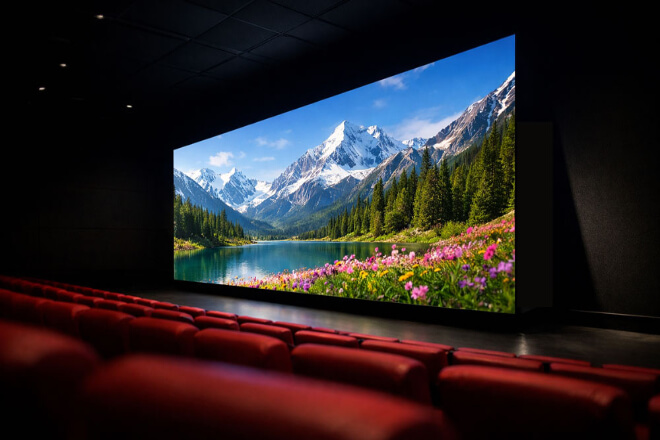
Many schools initially struggle with the question when choosing an LED screen for their auditorium: “Is bigger always better?”
The truth is—too small, and it’s hard to see, too big, and it’s not necessarily comfortable. The key isn’t “big,” but “just right.”
First, smaller auditoriums are better suited to a standard main screen solution. For example, in a lecture hall that seats a few hundred people, one main screen is usually sufficient.
If the space is already small, but a super-large screen is installed, audience members in the front rows may have to constantly crane their necks, making watching a program feel like “cervical spine training.”
Second, large auditoriums require a larger display area, and sometimes multiple screens. In spaces like auditoriums with a capacity of a thousand or school theaters, the back rows are far away.
If the screen is too small, students in the last row might only see “the teacher shining a ball of light.”
In this case, not only does the main screen need to be larger, but sometimes side screens are also used to ensure that the content is clearly visible in different areas.
同時に、 視聴距離 is a core factor in determining the size. Simply put: the farther away you are, the larger the screen needs to be.
For example, just because students in the front row can see the title doesn’t mean those in the back can.
Especially when playing PPTs, small-print announcements, or program lists, if the screen size is insufficient, those in the back row are likely to be “guessing the content.”
Finally, avoid screens that are “too large” or “too small” that negatively impact the overall experience.
A screen that’s too small is like “a giant TV hanging in the auditorium”; a screen that’s too large can make the space feel cramped, making the stage seem crowded.
The most comfortable setup is one where the audience can easily see the screen by looking up, without strain or feeling pressured.
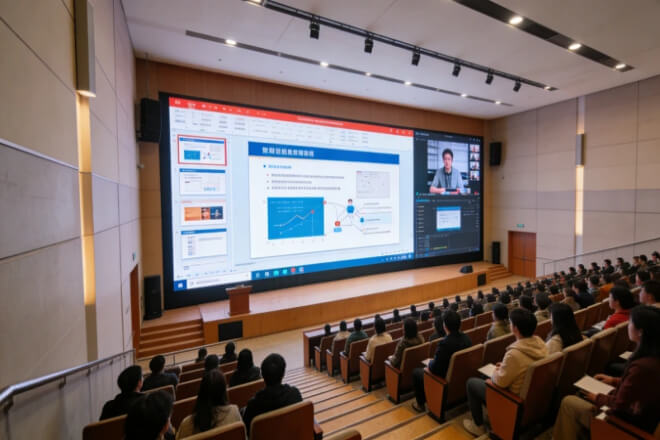
School auditoriums have an interesting characteristic: yesterday it might be a faculty meeting, today it could be a campus singing competition, and a few days later it could be a graduation ceremony.
Therefore, the most important thing for an auditorium LED screen isn’t “specializing in one function,” but rather its versatility across various scenarios.
First, for speeches and meetings, the focus is on “clear visibility.” For example, when a teacher is presenting a PPT, during a school assembly, or an academic lecture, the screen primarily displays text, charts, and videos.
Simply put, audiences can’t listen to a speech while simultaneously trying to decipher whether the title says “campus culture” or “campus hotpot.”
Therefore, these scenarios require detailed visuals, clear text, and comfortable viewing even after extended periods.
Secondly, artistic performances place greater emphasis on “atmosphere.” For example, in dance, choir, and theatrical performances, LED screens often serve as ステージ backdrops.
For instance, a campus gala with a blue PowerPoint-style backdrop instantly resembles a “grade-end summary meeting.”
However, if the LED screen can switch between starry skies, forests, and city nightscapes, the stage effect is immediately transformed.
Furthermore, large-scale events like graduation ceremonies demand even greater comprehensive screen capabilities. They must display videos and photos, name lists, live feeds, and maintain the atmosphere of the event.
Especially during graduation season, large screens often play a crucial role—amplifying everyone’s youthful memories.
Finally, achieving “multi-purpose screens” is the most cost-effective solution for schools. After all, school auditoriums aren’t used only once a year, but rather frequently throughout the year.
An LED screen that can be used for meetings, performances, and live ceremonies offers much higher utilization and is more likely to maintain its value long-term.
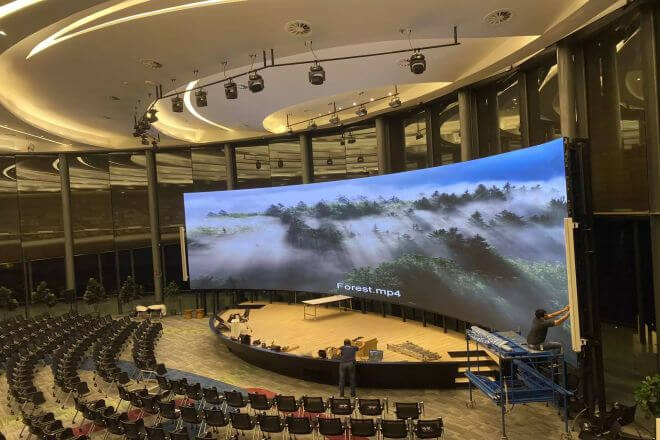
When schools buy LED screens, one of the most easily overlooked aspects is: “Who will maintain it after installation?”
Everyone is excited at first, but after a few years of use, they realize that—a broken module, a wiring problem.
Or dimming highlights—if maintenance is difficult, teachers and support staff will face significant headaches.
Therefore, for school auditoriums, an LED screen is not just about “looks good,” but also “ease of maintenance.”
First, a front-maintenance design is much more convenient. What is front maintenance?
Simply put, if there’s a problem with the screen, you can directly remove the module from the front for repair, without having to go behind the screen for “major construction work.”
For example, some auditorium screens are wall-mounted. If maintenance is only possible from the back, repairs might require dismantling half the structure.
But with a front-maintenance design, a faulty module can be replaced in minutes.
For schools, this difference is like the difference between “changing a light bulb” and “renovating.”
Secondly, simple maintenance significantly reduces long-term repair costs.
School auditoriums typically don’t have a professional technical team on-site every day, so the more complex the equipment, the more likely additional maintenance costs will arise later.
Simply put: a good screen is one that can “save trouble” on its own.
Meanwhile, stability and heat dissipation directly affect the equipment’s lifespan.
Auditorium events often run for several hours continuously: conferences, parties, exams, performances, and more.
Poor heat dissipation can easily lead to uneven 輝度, dead pixels, or even blackouts over time.
A stable screen is like a “durable veteran teacher”—unassuming most of the time, but never fails when it matters most.
Finally, schools are better suited to long-term operational solutions than “short-term flashy solutions.” After all, school equipment is usually used for many years after installation.
Instead of pursuing “maximum specifications” for the moment, it’s better to choose a solution that is easy to maintain, stable, and durable in the long run.
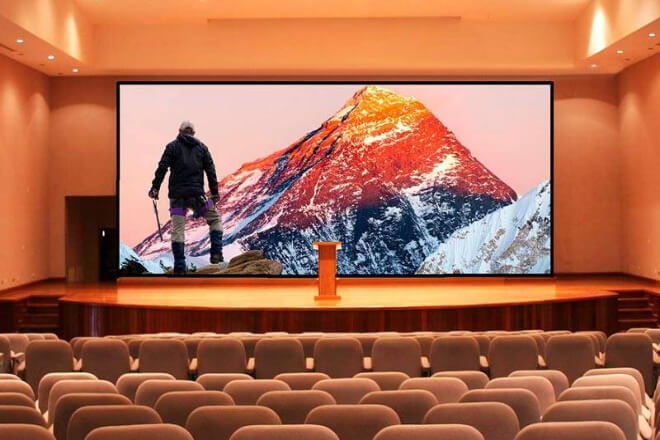
The most common practical problem when choosing an LED screen for a school auditorium isn’t “which one looks better,” but rather—
“We only have so much money, but we don’t want the performance to be too bad.” In this case, the core approach isn’t “choose the most expensive,” but rather choosing the most suitable investment strategy.
First, choose a model reasonably based on the school’s budget; don’t go for the “full-range configuration” all at once.
Some schools initially want a top-of-the-line configuration with small pitch, high リフレッシュレート、高い 輝度, but the actual auditorium usage might only be for meetings, performances, or graduation ceremonies.
For example, if the main use is for PPT presentations and video playback, there’s no need for overly sophisticated specifications; otherwise, it’s like “using a race car engine on school roads.”
Second, don’t blindly pursue high configurations while ignoring actual usage needs.
LED screens have many parameters, but not every one is practically meaningful for a school. For example, while an extremely low ピクセルピッチ is clear.
The improvement is limited if the viewing distance isn’t close. Simply put, good-looking parameters ≠ significantly improved the experience.
At the same time, focus more on long-term value rather than one-time effects. School auditoriums aren’t “one-time use” vehicles; they’re meant to be used for many years.
If you choose a complex, energy-intensive solution from the start, the subsequent repairs and electricity costs may gradually erode your budget.
Therefore, the truly cost-effective solution is often one that is stable, durable, and easy to maintain.
Ultimately, maximizing cost-effectiveness hinges on “matching the scenario, not just piling on specs.”
Appropriate size + reasonable pixel pitch + a stable system are more important than simply pursuing high specifications.
Sometimes, spending your budget on “better installation solutions or easier maintenance” is more worthwhile than simply upgrading screen parameters.


 English
  Español
  简体中文
简体中文  Français
  日本語
日本語  한국어
한국어  العربية