
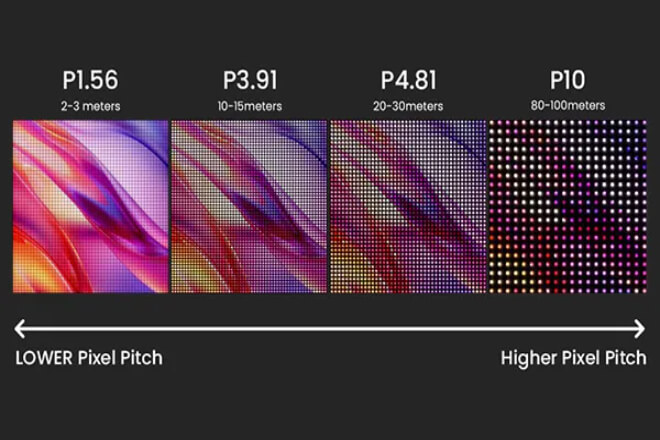
When purchasing LED 디스플레이, we are often confused by parameters like “P1.5, P4, P10.”
In fact, the key behind these numbers is 픽셀 피치—the distance between the centers of two adjacent pixels on the screen.
So, how should we choose the most suitable pixel pitch for different application scenarios to ensure a clear and economical screen?
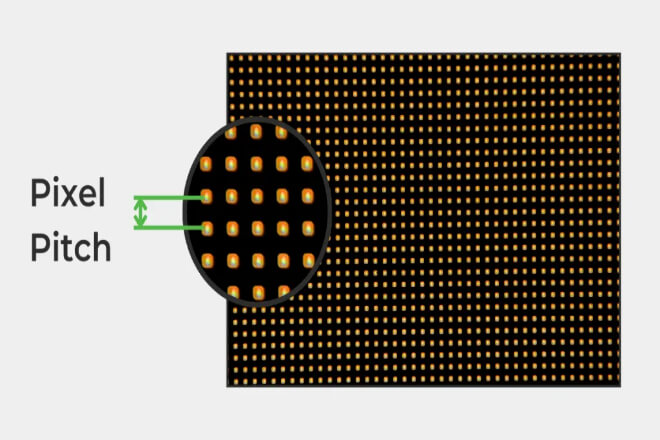
When selecting and using LED displays, we often see parameters like “P4, P6, P10,” among which the most crucial is pixel pitch.
간단히 말해서, 픽셀 피치 is the distance between the center points of two adjacent pixels on the screen, usually measured in millimeters.
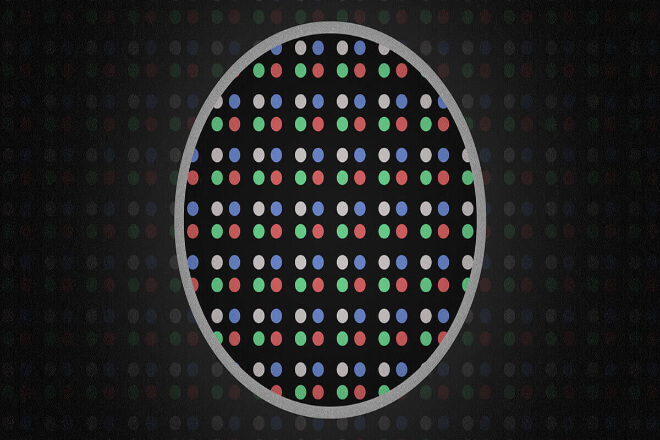
Each pixel is the smallest display unit composed of red, green, and blue LEDs, and the pixel pitch determines how densely these LEDs are arranged.
Pixel pitch directly affects the clarity of the display and the viewing experience. The smaller the pixel pitch, the denser the pixels, resulting in a more detailed image and text display with virtually no graininess.
A larger pixel pitch results in a coarser display but is better suited for viewing from a distance.
For example, a P4 LED screen indicates a 4mm pixel pitch, suitable for indoor close-range viewing in places like conference rooms, exhibition halls, or shopping malls.
In contrast, a P10 LED screen with a 10mm pixel pitch is more suitable for outdoor billboards or highway information screens, as viewers are typically further away.
Choosing the appropriate pixel pitch requires considering several factors: screen size, viewing distance, and budget.
Small-pitch screens are more expensive but offer a finer image, suitable for close-range use.
Larger-pitch screens are less expensive and suitable for long-distance displays.
Only by selecting the appropriate pixel pitch based on the actual application scenario can the LED display achieve its best performance.
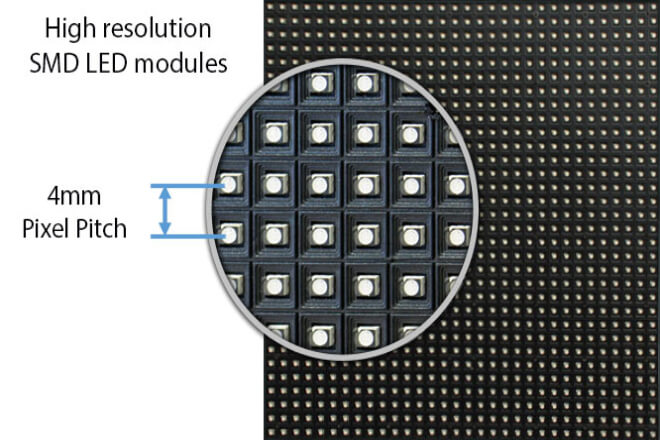
When choosing an LED display, you will inevitably see parameters like “P4, P6, P10.” These numbers represent the screen’s pixel pitch.
In simple terms, pixel pitch is the distance between the center points of two adjacent LED pixels, expressed in millimeters (mm).
It determines the screen’s display clarity and how far you can see the image clearly.
1) How to measure pixel pitch?
It’s actually quite simple:
Find the center points of two adjacent pixels on the screen.
Measure the distance between these two center points using a ruler or measuring tool.
If the measurement is 4 millimeters, then this screen is a P4 LED display. The smaller the number, the denser the pixels, and the more detailed the image.
2) Tips for choosing pixel pitch
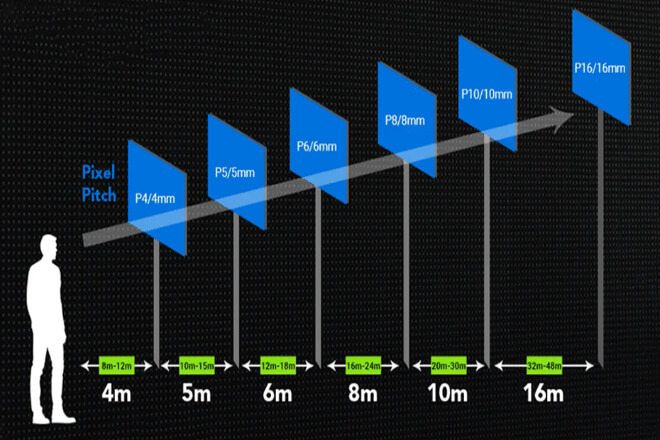
Pixel pitch not only affects clarity but also directly relates to how far you need to stand to see the screen content clearly. A simple rule of thumb is:
Optimal viewing distance (meters) ≈ Pixel pitch (mm) × 1
That is, a P4 screen (4mm) is suitable for a viewing distance of about 4 meters; a P10 screen (10mm) is suitable for distances of 10 meters and above.
This formula is intuitive, allowing you to quickly determine which screen is suitable for your scenario.
In short, pixel pitch and viewing distance are closely linked. When choosing a screen, ensure proper matching of pixel pitch and image quality to guarantee optimal picture quality and avoid unnecessary expenses.
Remember: the closer you are to the screen, the smaller the pixel pitch should be; the farther away you are, the larger the pixel pitch can be.
When selecting an LED display screen, one of the most crucial parameters is pixel pitch. It determines the clarity of the screen image and also affects the viewing experience.
The smaller the pixel pitch, the more detailed the screen; the larger the pitch, the more suitable the screen is for viewing from a distance.
Below, we’ll look at the characteristics and applicable scenarios of different pixel pitches by size.
1) Small Pixel Pitch (P1.0 – P2.5)
Small pitch means that the pixels on the screen are very dense, resulting in a very detailed image with almost no graininess in text and images.
Suitable Scenarios: Indoor conference rooms, exhibition halls, large 쇼핑몰 screens, and close-range displays.
특징: Even standing in front of the screen, you can see clear and detailed images; suitable for high-해결 requirements.
- 추천: If you want a detailed image and viewers who can view it at close range, a small-pitch screen is the best choice, but the cost is relatively high.
2) Medium Pixel Pitch (P2.5 – P5.0)
Medium-pitch screens offer moderate clarity with minimal graininess, but offer high cost-effectiveness.
Suitable for: Large displays in shopping malls, 단계 backdrops, and exhibition screens.
특징: Clear image while maintaining a 시거리, keeping costs under control.
추천: This is the most common choice for indoor and semi-outdoor screens, balancing performance and budget.
3) Large Pixel Pitch (P5.0 and above)
Large-pitch screens have sparse pixels and noticeable graininess, but remain clear even at a distance.
Suitable for: Outdoor billboards, highway information screens, and 경기장 screens.
특징: These screens primarily feature large fonts and simple images, suitable for long-distance viewing but not for close-up displays.
추천:If the screen is mainly used for long-distance information transmission or large outdoor advertising, a large-pitch screen is both economical and practical.
Pixel pitch is the most intuitive indicator in LED display selection. In short:
Small pitch → High resolution, close-range viewing
Medium pitch → High cost-effectiveness, medium-distance viewing
Large pitch → Long-distance viewing, low cost
When choosing a screen, consider both pixel pitch and actual viewing distance to ensure a good visual experience without wasting your budget.
When purchasing an LED display, pixel pitch is a key parameter determining the screen’s performance.
But how do you know which pixel pitch is most suitable? It mainly depends on two factors: viewing distance and budget requirements.
1) Viewing Distance
Pixel pitch and viewing distance are closely related. Simply put:
Smaller pitch → Suitable for close-range viewing, clearer image
Larger pitch → Suitable for long-distance viewing, lower cost
적용 예:
쇼핑몰 showrooms, conference rooms: Audiences are close to the screen, small pitch screens (P1.5-P3) are most suitable.
단계 backdrops, indoor advertising: Audiences are at a medium distance, medium pitch screens (P4-P5) are sufficient.
Highway advertising and stadium screens:
For long-distance viewing, large-pitch screens (P8-P16) offer both clarity and cost-effectiveness.
2) Budget and Needs
When choosing pixel pitch, budget and actual usage requirements must be considered.
Small-pitch screens have dense pixels and a delicate display effect, but are relatively expensive; large-pitch screens are low-cost but can only be viewed from a distance.
If you prioritize high 해결 and high image quality, and the audience will be viewing at close range, investing in small-pitch screens is necessary.
If primarily used for long-distance information transmission or large outdoor advertising, large-pitch screens are both economical and practical.
When choosing pixel pitch, the most important thing is to combine viewing distance and budget requirements. This ensures a clear screen, a good audience experience, and avoids wasting resources.
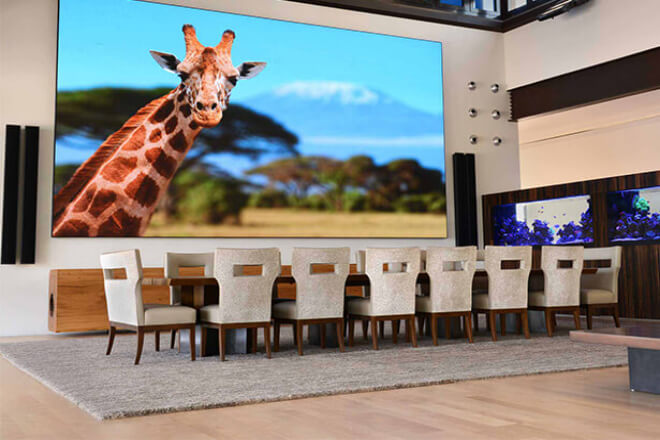
Small-pitch LED displays typically refer to screens between P1.0 and P2.5.
Their pixels are very dense, enabling them to present extremely high-해결 images, making them ideal for high-precision display applications.
However, advantages and limitations coexist; understanding these limitations is crucial for making a more rational choice.
1) Advantages
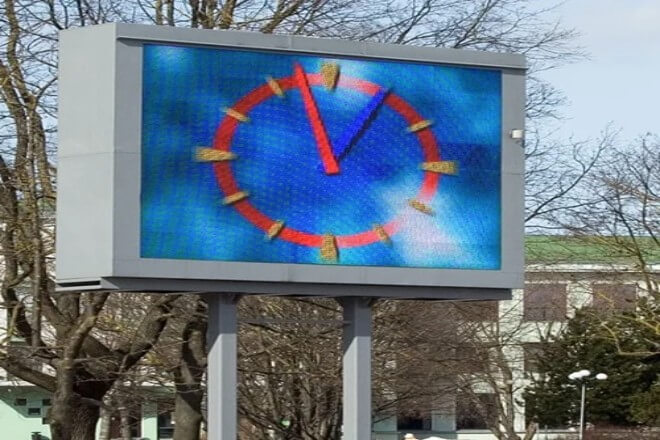
Large pixel pitch LED displays typically refer to screens with a pixel pitch of P5.0 or higher.
Compared to small pixel pitch screens, their pixel arrangement is sparser, resulting in lower resolution.
But they still maintain good visual effects at long distances, making them ideal for long-distance, large-scale advertising and information display.
1) Advantages
Pixel pitch is one of the most important parameters when choosing an LED display screen.
It not only affects image clarity but also directly determines the viewer’s viewing experience.
Different application scenarios have different requirements for resolution and viewing distance, so choosing the right pixel pitch is crucial for a screen that is both clear and economical.
1) Differences between indoor and outdoor applications
First, it is necessary to distinguish between indoor and outdoor usage environments.
1.1) Indoor Screens
Indoor viewing distances are typically shorter, requiring a smaller pixel pitch to ensure image clarity.
For example, in conference rooms, exhibition halls, shopping malls, or control rooms, viewers may be only a few meters away from the screen.
If the pixel pitch is too large, graininess will appear, and text and graphics will be unclear.
Recommended pixel pitch: 5-P4
적용 가능한 시나리오: Conference room projection, exhibition hall displays, shopping mall advertising, control room monitoring, etc.
1.2) Outdoor Screens
Outdoor viewing distances are generally longer and more affected by lighting conditions. Therefore, a larger pixel pitch screen can be chosen while ensuring sufficient brightness.
Recommended pixel pitch: P5-P16
적용 가능한 시나리오: Highway billboards, stadium screens, plaza advertising screens, etc., primarily targeting distant viewers, focusing on large text and images.
2) 픽셀 피치 Selection for Different Industries
- Advertising Industry
The key to advertising screens is visibility and coverage. For close-range advertising, such as shopping malls or shop windows.
A small pixel pitch screen of P2-P4 can be chosen to ensure clear visibility of advertising content details.
For long-distance outdoor advertising, such as highway or city road billboards, large-pitch screens (P8-P16) are recommended to ensure clear visibility at long distances while saving costs.
- 전시회 and Display Industry:
Exhibitions and museum displays typically require close-up viewing, thus demanding high resolution.
Small-pitch screens (P1.5-P3) can present high-definition images and detailed animations, ensuring a good close-up viewing experience.
- Control Rooms and Command Centers:
Control rooms need to display monitoring screens and data charts, which are usually viewed at close range, making high precision crucial.
Small-pitch screens (P1.2-P2.5) are recommended to ensure clear images and text and prevent information loss.
- 단계 Performances and Event Screens:
Stage screens are used by audiences at medium to long distances, requiring both overall visual appeal and cost control.
Medium-pitch screens (P3-P6) balance clarity and budget while meeting medium-distance viewing needs.
When selecting pixel pitch, it is crucial to consider viewing distance, usage environment, and industry requirements.
For close-up, indoor, and high-precision scenarios, choose a smaller pixel pitch; for long-distance, outdoor, and large-area coverage scenarios, choose a larger pixel pitch.
Only by correctly matching the pixel pitch with the application scenario can an LED display achieve its best effect while avoiding wasted investment.
 English
  Español
  简体中文
简体中文  Français
  日本語
日本語  한국어
한국어  العربية