
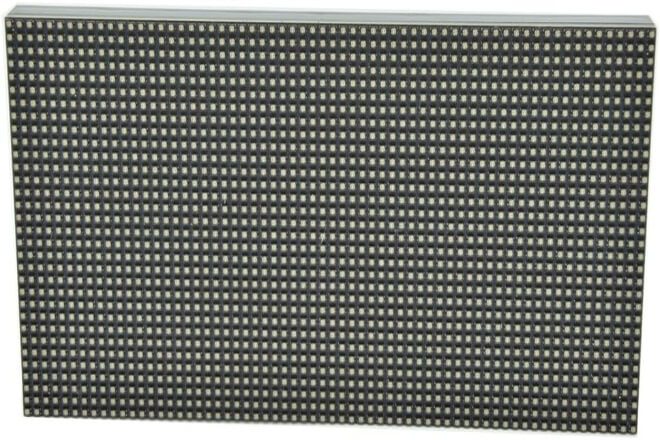
Many people hear the term “pas de pixel” when choosing an Affichage LED.
However, when actually standing in front of the screen, some people find the image very detailed, while others feel it has a “grainy” quality. The difference often lies here.
So the question is: how significant are the differences between different pixel pitches?
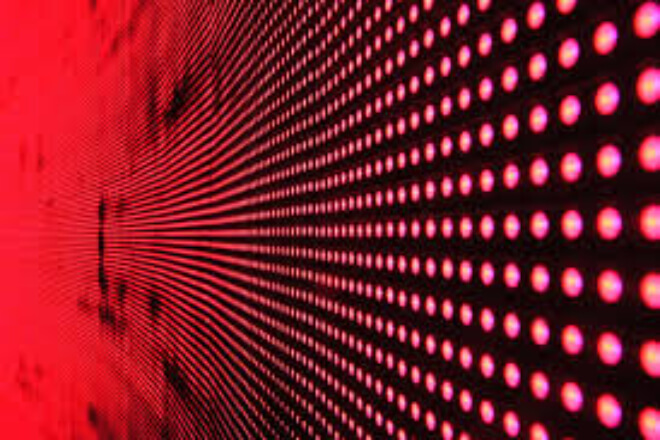
Espacement des pixels can be understood with a very everyday analogy: from a distance, they all look similar, but up close, the differences become apparent.
First, smaller pitches are better suited for close-up viewing. Screens like P2 and P3 have denser pixels, resulting in higher image detail. Even when viewed from several meters or closer, they maintain a smooth visual effect, making it less likely to see any graininess.
Therefore, these types of screens are commonly found in indoor conference rooms, exhibition halls, or scenarios where “detailed clarity even up close” is required.
Larger pitch screens, on the other hand, are more like “long-distance competitors.” For example, pixels like P6, P8, and P10 automatically “blend” at distances of ten meters or more, maintaining a clear and complete image.
However, if you stand too close, you’ll clearly see individual glowing dots, and details will be magnified, making the image less refined.
The key lies in the distance de visualisation. The farther away, the more your vision “softens” the image, making the differences between different pixel pitches less noticeable.
But once you get closer, the advantages of smaller pixel pitches become immediately apparent, while the disadvantages of larger pixel pitches become very obvious.
Therefore, essentially, choosing pixel pitch isn’t about choosing “which is more advanced,” but rather answering a more practical question:
How far away are viewers typically from the screen? Do they “glance at it from afar” or “get closer for a closer look”?
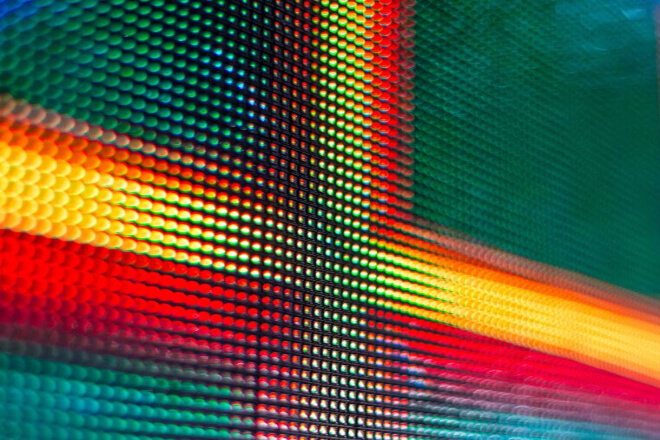
Simply put: the difference is significant, but only if you’re “close enough.” If the distance increases, many differences are actually “automatically ignored.”
First, there’s the difference in image detail. Small-pitch screens (such as P2 and P3) have denser pixels, resulting in a smoother image that appears closer to a continuous, unified display.
Larger-pitch screens (such as P6 and P10) have slightly coarser detail transitions. Imagine the difference between a high-definition screen and a regular screen: they look similar from a distance, but the difference in detail becomes apparent up close.
Secondly, there’s the issue of pixelation, which is the most obvious. For example, if you stand a few meters in front of a P10 screen, you can easily see individual pixels, even a slight “grid effect.”
However, with a P2 or P3 screen, the image is more complete at the same distance, making it harder to distinguish individual pixels.
This is why small-pitch screens are generally chosen for close-up scenarios like shop windows and showrooms.
Furthermore, consider the impact on text and detail display. For example, displaying a line of small text: on a small-pitch screen, the font edges are sharper, and the details are complete.
But on a large-pitch screen, “jagged edges” or the text may appear blurry, making it more suitable for displaying large titles or simple information, rather than complex content.
Interestingly, once you increase the viewing distance, for example, viewing a P10 screen from 10 meters away, these differences are “visually automatically blended.”
And the image still appears complete. This is why outdoor large screens can use larger pixel pitches while still appearing clear.
Therefore, essentially, the impact of pixel pitch on clarity is not absolute, but rather “bound” to distance: the closer you are, the more obvious the difference.
The farther away you are, the more your brain will “automatically optimize the image.”
Choosing a pixel pitch is rarely about “which is better,” but rather “where it’s more suitable.” Different scenarios are like different étapes, with completely different requirements for the screen.
First, there are indoor meeting rooms and exposition halls. The characteristic here is that people are close and will carefully look at the content.
Whether it’s a PPT, small text, or product detail displays, the image needs to be sufficiently detailed.
Dans ce cas, small-pitch screens (such as P2 and P3) are more suitable; otherwise, if you sit too close, it’s easy to see the graininess, even affect the reading experience.
However, the logic changes completely in outdoor advertising or large venues. Viewers are typically positioned tens of meters or more away, more of a “glance” than a “focused look at details.”
In these situations, large-pitch screens (such as P6 and P10) are more practical. They are not only more cost-effective, but also maintain a clear and complete image even at long distances, which is perfectly adequate.
Interestingly, the same screen can have a significantly different experience depending on the context.
For example, placing a large-pitch screen in a conference room will result in noticeable pixelation as viewers get closer.
Conversely, using a small-pitch screen in ultra-long-distance outdoor scenarios might be overkill.
Therefore, the difference in pixel pitch is not essentially a matter of technological superiority or inferiority, but rather a matter of scene matching:
A sharp image is needed for close-up viewing, while sufficient image quality is required for long-distance viewing.
Choosing the right location is more important than choosing the most expensive option.

The cost difference caused by pixel pitch can be summarized in one sentence: the finer the pixel, the higher the cost. But the key is not just “expensive,” but “worth it.”
D'abord, small-pitch screens are more expensive. This is because a higher pixel density requires more LEDs and driving components per unit area, necessitating higher precision manufacturing processes and control systems.
Simply put, “for the same area, the more refined the design, the more materials and technology are used,” naturally increasing the price.
Larger-pitch screens, on the other hand, are more economical. Products like the P6 and P10, with their lower pixel density, have lower overall material and manufacturing complexity.
Therefore, they offer a better cost-performance ratio in large-area projects (such as outdoor advertising screens and stadiums), achieving sufficient viewing effects at a more reasonable cost.
However, there’s an easily overlooked issue—the possibility of “over-configuration.”
For example, in an outdoor scenario where the primary distance de visualisation exceeds 20 meters, choosing a smaller-pitch screen, while resulting in a more detailed image, is difficult for viewers to perceive, increasing unnecessary investment.
Conversely, choosing a larger-pitch screen for close-up viewing scenarios, while lowering costs, degrades the experience, potentially requiring adjustments or even replacement later, making it less cost-effective.
Therefore, the cost difference in pas de pixel is essentially not just a comparison of price figures, but a question of whether the “investment and effect match.” Simply put: don’t choose the most expensive, choose the just right one.
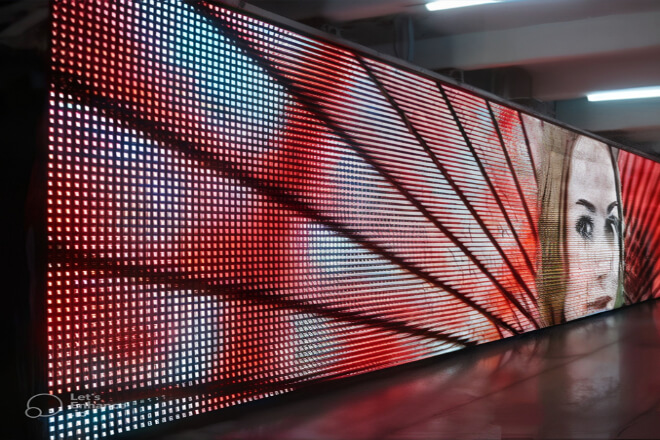
This question can be answered very intuitively: the difference isn’t noticeable for a short time, but becomes apparent after prolonged use.
First, there’s the difference in viewing comfort. Small-pitch screens, because of their finer image and smoother edges.
Provide a more “continuous” viewing experience, and the eyes don’t need to adapt to the obvious pixel structure.
Large-pitch screens, on the other hand, make the pixels more visible at close range, appearing slightly “coarser” visually.
This is acceptable for short periods, but leads to eye strain over time.
Second, there’s the experience of prolonged viewing. For example, in meeting rooms, exposition halls, or scenarios requiring continuous viewing, small-pitch screens feel more relaxed and natural, reducing eye fatigue over time.
However, if a large-pitch screen is used for close-up presentations, viewers may unconsciously become distracted, even experiencing a feeling of “somewhat uncomfortable but indescribable.”
Furthermore, there’s the impact on the overall viewing experience. Smaller pixel pitches tend to produce a more high-end, refined visual effect, suitable for scenarios with high image quality requirements.
Larger pixel pitches, on the other hand, are more geared towards “information transmission.” They work perfectly well at long distances, but the overall quality is slightly compromised when viewed up close.
However, it’s important to note that if the viewing distance is already quite far, these differences will be significantly weakened, even becoming imperceptible.
Therefore, the impact of pixel pitch on the viewing experience is not just about “clarity,” but also “comfort over extended periods.”
Choosing the right pitch results in a natural experience; choosing the wrong one often leads to problems that only become apparent over time.


 English
  Español
  简体中文
简体中文  Français
  日本語
日本語  한국어
한국어  العربية