
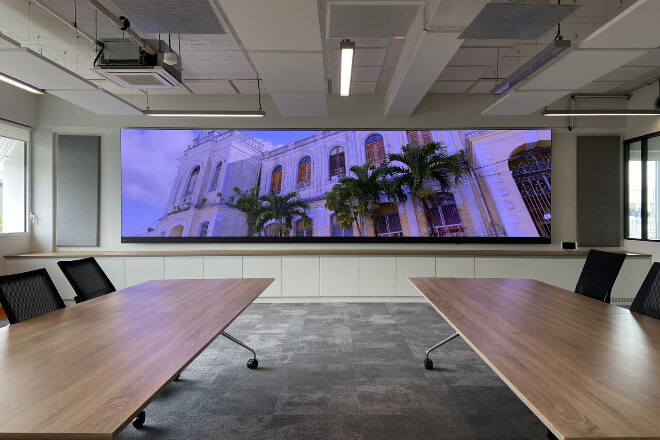
Now, when you attend meetings at some companies, you’ll notice a trend: projectors are gradually being phased out.
And LCD TVs are starting to seem a bit “small,” replaced by a bright, clean LED display screen.
It’s not that companies have suddenly become richer; it’s that LED displays truly “understand” what conference rooms need.
D'abord, luminosité is not a concern with LED displays. They remain clearly visible even with the conference room lights on, unlike projectors.
Which require turning off the lights and drawing the curtains, and whose images immediately “fade” in strong ambient light.
The self-emissive nature of LEDs ensures the image is always online, remaining stable regardless of ambient light conditions.
Next, let’s talk about color and clarity. The first impression of an LED screen is “high-end”—colors aren’t grayish, contrast is strong, blacks are truly black, and brights are truly bright.
When giving data presentations, showcasing design drafts, or viewing product demos, you can clearly feel the more solid details and cleaner lines, without the blurry edges.
Another particularly practical point: LED screens are incredibly convenient.
Making an LCD TV larger than 100 inches is a headache due to price, transportation, and installation; while projectors can project large images, the image quality isn’t up to par.
LED displays, on the other hand, offer “any size you want.” Modules can be assembled to customize the size, and the user experience is much more user-friendly.
LED screens have a wide viewing angle; there’s almost no difference between sitting in a corner and sitting in the center, avoiding the awkwardness of glare from a slightly off-center angle de vue, common with TVs.
Finally, a point often overlooked: LED displays are more durable and less troublesome.
Projector bulbs dim over time and need replacement; large TV screens also have a relatively short lifespan.
LED displays can operate stably for many years, and even if a module fails, it can be replaced individually, without rendering the entire screen unusable.
Simply put, LED displays are the kind of conference equipment you “can’t go back from once you’ve used them.”
They are bright, clear, large, and stable, and they can make the entire conference room look more professional and modern.
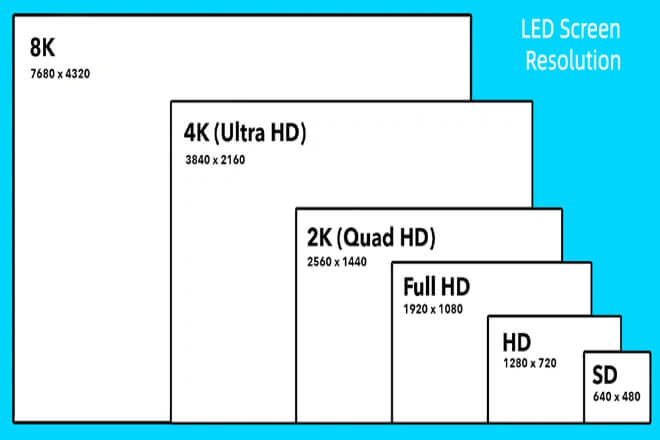
In a conference room, choosing the appropriate size and resolution of an LED display is crucial.
A size that is too large may make people sitting in the front row uncomfortable, while a size that is too small will affect the viewing experience of viewers in the back rows.
A resolution that is too low will result in unclear details; a resolution that is too high may increase costs without significantly improving the effect.
1). Size Selection
The size of the LED screen in a conference room should be determined based on the depth of the room and the furthest viewing distance.
The general principle is: the deeper the conference room, the larger the screen can be; the shorter the conference room, the less suitable the screen should be.
Par exemple:
Maximum distance de visualisation approximately 4–5 meters → Screen height selectable 130–150 inches
Maximum viewing distance approximately 7 meters → Screen height selectable 165–180 inches
This size ensures comfortable viewing for every participant, preventing those in the front row from feeling cramped and those in the back from missing details.
2). Résolution Sélection
Resolution directly affects the presentation of image details.
In meeting rooms, screens are primarily used to display spreadsheets, presentations, flowcharts, or video conference content:
For medium-sized screens (130–150 inches), 1080p resolution is usually sufficient.
For larger screens (165 inches and above), 4K resolution provides richer details, especially suitable for displaying design drafts or high-resolution images.
Meanwhile, the pas de pixel (P-value) of the LED screen also needs to be selected according to the viewing distance:
Viewing distance 2–3 meters → 2 or P1.5
Viewing distance 3–5 meters → 5 or P1.8
Viewing distance over 5 meters → 0
Properly matching screen size, resolution, and pixel pitch allows the conference room LED display to present the best effect in any scenario, while ensuring a balance between cost and visual experience.
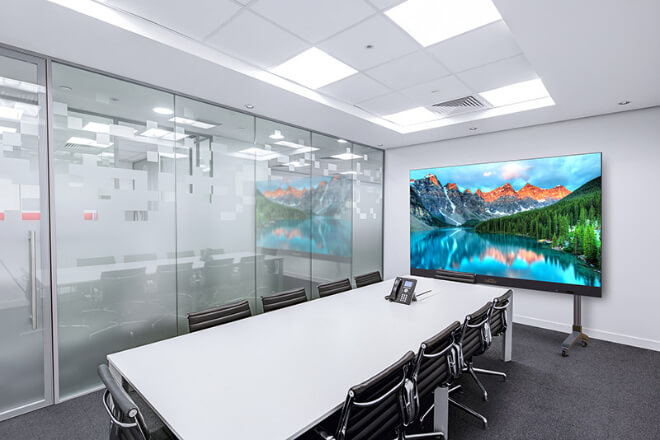
The installation location directly determines the viewing effect of the conference room LED display.
Even with a large screen and high resolution, an unsuitable location will affect the experience of all participants.
1) Viewing distance and angle de vue are key.
First, consider the furthest and closest viewing distances in the conference room. Ideally, the screen should be installed within the line of sight of all seats.
Ensuring that those in the front row are not “oppressed” by the screen, and those in the back row can also clearly see the content.
At the same time, the height of the LED screen should be roughly parallel to the participants’ line of sight to avoid discomfort caused by looking up or down.
In addition, viewing angle is also important. LED screens typically support wide viewing angles.
But in corner or side seats, if the screen is too far off-center, brightness or color deviations may occur.
Therefore, the screen should ideally be placed in the center of the meeting room, ensuring every seat is within the viewing angle.
2) Avoid Light Reflections
Meeting room lighting and natural light from floor-to-ceiling windows can affect screen viewing.
Although LED screens are bright, strong direct light can still cause reflections or glare. During installation, pay attention to:
Avoid having the screen directly facing windows or strong lights.
Use blackout curtains or adjust the direction of lighting if necessary.
If the walls have mirrors or reflective materials, consider the screen’s tilt angle.
3) Avoid Obstructed Views
Pillars, decorations, furniture, or equipment in the meeting room can all obstruct the screen.
Carefully plan the layout before installation to ensure every seat can fully see the screen content.
This is especially important in multi-person video conferences or presentations, preventing those in the back from being blocked by those in front.
In summary, the optimal installation location for a meeting room LED display screen should meet three criteria: center alignment, parallel line of sight, and moderate lighting.
This ensures not only clear and vibrant images but also comfortable viewing for every participant.
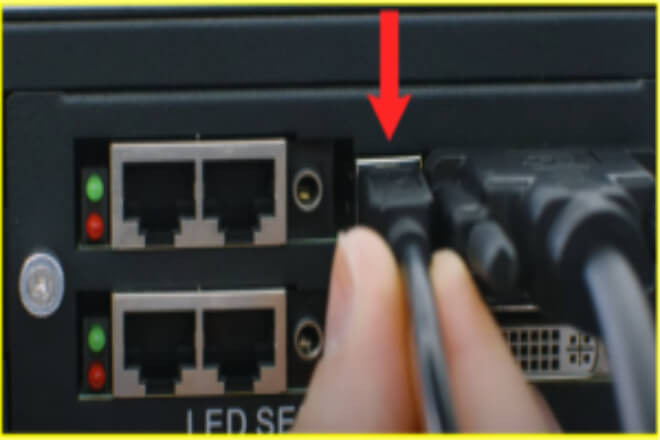
No matter how good the LED display is, a poor connection can easily compromise the meeting experience.
Conference rooms contain a variety of devices, including laptops, desktops, projectors, and even tablets and phones, each with different interface requirements.
Therefore, choosing the right connection method is crucial for ensuring a smooth meeting.
1) Wired Connections
Traditional wired interfaces remain the primary choice for conference rooms. HDMI and VGA each have their advantages:
- HDMI
HDMI is currently the most commonly used digital interface, supporting high-definition video and high-quality audio transmission.
It offers clear images and stable colors, making it ideal for presenting PPTs, videos, or product demonstrations.
Most modern laptops and video devices have built-in HDMI ports, and adapters can also be used to connect other devices.
- VGA
VGA is an analog interface. While its image quality and color performance are not as good as HDMI.
It offers wider compatibility, making it particularly suitable for older equipment or special scenarios.
The biggest advantage of wired connections is their stability and reliability.
Signal transmission is unaffected by interference, and there are no delays.
Or dropped connections, making them ideal for formal presentations or video conferences.
2) Wireless Connections
With the development of smart conference rooms, wireless screen projection is becoming increasingly common.
Laptops, tablets, and even mobile phones can directly project their screens onto the LED display via Wi-Fi or Bluetooth, avoiding the hassle of cabling and offering greater operational flexibility.
The benefits of wireless connections are obvious: simplicity, convenience, and fast content sharing.
Especially for temporary presentations or when multiple devices are rotating screen projection, wireless methods can significantly improve efficiency.
However, wireless transmission has high requirements for the network environment. If the signal is unstable or the screen resolution is high, occasional delays or screen stuttering may occur.
Therefore, the stability of wireless screen projection on LED screens must be considered when designing the conference room network layout.
3) How to Choose the Appropriate Connection Method
The choice of connection method depends on the equipment, meeting type, and usage habits:
- Equipment Compatibility:
First, confirm which interfaces are supported by commonly used equipment in the conference room.
If most devices have HDMI, prioritize HDMI; if older devices require compatibility, VGA interfaces can be retained.
- Meeting Scenarios:
For formal reports, video conferences, or high-definition presentations, wired connections are preferred to ensure stability.
For impromptu sharing or small discussions, wireless projection is more convenient and faster.
- Operational Ease:
Wireless projection reduces cabling and offers flexible operation, but may require additional software or debugging.
Wired connections are simple and direct, but cabling and interface management require advanced planning.
In reality, many modern conference rooms retain both wired and wireless options to ensure seamless integration between different devices and usage scenarios.
A reasonable combination ensures both stability and convenience, guaranteeing satisfactory presentation effects and user experience in every meeting.
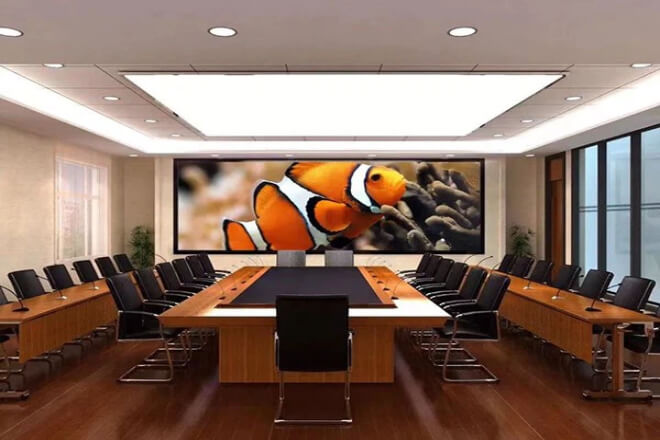
An LED display screen is more than just a large screen; it’s supported by a control system.
A user-friendly control system makes meeting operations easy and smooth, eliminating the hassle of manual intervention every time a meeting starts.
1) Control Panel and Remote Operation
The most direct way to operate the LED screen is through the control panel. The panel typically includes functions such as power switch.
Signal source switching, luminosité and volume adjustment, making it intuitive and suitable for everyday meetings.
However, many meeting rooms are now equipped with remote control capabilities.
You can turn the screens on and off, switch content, and even control multiple screens simultaneously using a computer, tablet, or even a mobile phone.
This eliminates the need to physically move to the screens to manually operate them, allowing for easy management of the entire meeting’s presentation content.
This is especially convenient and efficient in large meeting rooms or multi-screen environments.
2) Integrated Systems and Intelligent
Management Modern smart meeting rooms often integrate LED displays with systems that work in conjunction with projectors, audio equipment, video conferencing systems, and lighting.
Through a unified control platform, the host can switch meeting modes with a single click.
Such as “Report Mode,” “Video Conferencing Mode,” or “Multimedia Presentation Mode.”
The system automatically handles signal switching, screen display adjustments, and audio adjustments.
Some meeting rooms also use intelligent meeting management software, allowing for pre-uploading of presentation content, remote file sharing, and even adjusting screen layouts during the meeting.
This is extremely useful for scenarios requiring frequent data presentations, rotating speakers, or multi-person remote collaboration, and is much easier to operate than traditional methods.
3) How to Choose the Appropriate Control Method
When choosing a control method, consider three aspects:
- Meeting Room Size and Usage Frequency:
A basic panel is sufficient for small meeting rooms; remote control or an integrated system is more suitable for large meeting rooms or multi-screen environments.
- Ease of Operation:
The more intelligent and centralized the system, the easier it should be for users to learn, without increasing training costs.
- Scalability and Compatibility:
The control system should ideally be compatible with existing equipment and leave room for future upgrades, such as adding video conferencing functionality or intelligent scheduling management.
In general, a suitable control system not only ensures the LED screen’s display effect but also makes meeting operations smoother and more efficient, allowing the meeting room to truly realize its value.

In modern meeting rooms, LED displays are no longer just a “large screen”; their true value lies in making information display more intuitive and communication more efficient.
Whether it’s daily reports, remote video conferences, or data analysis and design discussions, LED screens can significantly upgrade the meeting experience.
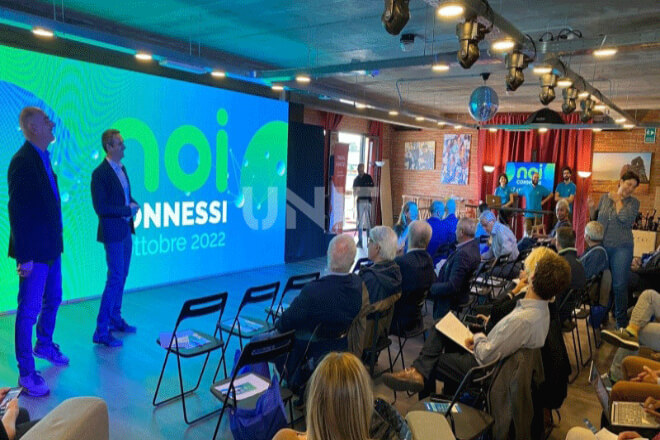
A high-quality LED display screen requires regular maintenance and care to operate stably over the long term.
Even the most durable screens will experience brightness variations, color deviations, or occasional minor malfunctions over time and with increased usage.
Proper daily management ensures the smooth operation of every meeting and keeps the screen in optimal condition.
1) Regular Cleaning
Dust, fingerprints, and even tiny particles in the air can affect screen performance in a meeting room environment.
When cleaning, use a soft, dry cloth or a dedicated screen cleaner. Avoid using alcohol or corrosive chemicals to prevent damage to the module surface.
For large LED screens, use an air blower or soft brush to gently remove dust, maintaining uniform light transmission and stable brightness.
Regular cleaning not only keeps the screen clean and tidy but also extends its lifespan.
2) Calibration and Software Updates
Over time, the brightness and color of LED displays may experience slight deviations. Regular calibration ensures a consistently clear image and accurate color reproduction.
Most control systems have dedicated software that supports adjustments to brightness, contrast, and color balance, allowing for easy restoration of the screen to its optimal state.
In addition, the control system and management software also require regular updates. Manufacturer updates typically include feature optimizations, bug fixes, and compatibility improvements.
This not only reduces operational delays but also prevents screen anomalies or signal instability during meetings.
3) Troubleshooting Common Issues
Common issues during meetings fall into two main categories:
- Screen distortion or display anomalies:
This is usually related to the signal source, interface cables, or control system settings.
Checking the cable’s stability, confirming the input signal resolution matches the LED screen.
And restarting the control system or recalibrating the screen if necessary usually resolves the problem.
- Connectivity issues:
Wireless projection may be affected by network interference or device compatibility limitations.
While wired connections may experience signal instability due to loose interfaces or aging cables.
Planning cable and interface management in advance, and troubleshooting and updating according to equipment instructions, can effectively reduce the occurrence of these problems.
4) Routine Maintenance Tips
To ensure the LED display maintains its optimal performance over the long term, we recommend establishing a simple maintenance plan for the meeting room:
Quickly wipe the screen surface weekly to keep it clean.
Perform color and brightness calibration quarterly.
Check and update the wiring, interfaces, and control system every six months;
Promptly troubleshoot any abnormalities to avoid delays or unauthorized module disassembly.
By performing these maintenance practices, the LED display will not only extend its lifespan but also ensure a consistently stable visual experience for every meeting.
Whether for daily reports, video conferences, or multi-screen interactive displays, the screen can maximize its value, truly becoming a core tool for efficient communication in the meeting room.
 English
  Español
  简体中文
简体中文  Français
  日本語
日本語  한국어
한국어  العربية